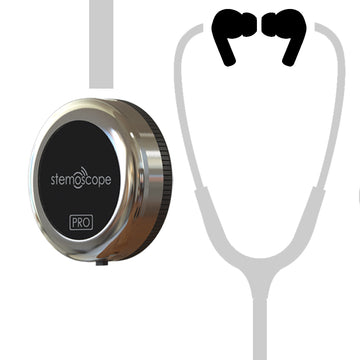


USB-C In-Ear Earphones for Clear Auscultation Sound on Your Smartphone
HSA/FSA Eligible
Free Global Shipping

Hear stethoscope sounds more clearly with digital USB-C in-ear earphones designed for auscultation listening through your smartphone. The in-ear silicone tips help create a secure seal, improving bass response and reducing outside noise so low-frequency physiological sounds can be reproduced more accurately.
These earphones are suitable for use with the DrStemo app when listening to live stethoscope audio or playing back recorded sounds on your phone.
Key Features
-
Clear Auscultation Audio
The type of earphones used can significantly affect the accuracy of auscultation sound reproduction. These digital USB-C earphones with in-ear silicone tips provide strong bass performance, helping you hear heart, lung, and other body sounds more clearly. -
USB-C Smartphone Compatibility
Compatible with Apple iPhones equipped with a USB-C charging port and most Android smartphones with USB-C digital audio support. -
Designed for the DrStemo App
Simply plug the earphones into your smartphone when using the DrStemo app to listen to live stethoscope sounds or playback recordings. -
Comfortable In-Ear Silicone Tips
Choose the ear tip size that creates a snug and secure seal. A proper fit helps prevent sound leakage, blocks ambient noise, and improves the clarity of auscultation audio.
Important Compatibility Note
These earphones cannot be plugged directly into Stemoscope PRO. Stemoscope PRO does not output audio through its USB-C port. To use the earphones, connect them to your smartphone while listening through the DrStemo app.
Usage Tips
- Make sure the left and right earbuds are worn correctly and not swapped.
- Select the correct silicone ear tip size for a tight, comfortable seal.
- Wear the earbuds securely to reduce sound leakage and block background noise.
- Increase your phone volume as needed. Physiological sounds are naturally quieter than music, videos, or other media playback.
Reference for Other Listening Devices
When selecting wireless earphones or hearing aids for auscultation, use these performance requirements as a reference to ensure the device provides acceptable bass response, sealing, and overall sound clarity.